
Website & CRO
Why Your Website Is Not Generating Leads
Diagnose why your website gets traffic but few leads: wrong traffic, weak offer, unclear pages, trust gaps, bad forms, slow UX and broken tracking.

The Short Answer
A website usually fails to generate leads for one of five reasons: the wrong people arrive, the offer is weak, the page does not make the next step clear, the visitor does not trust the business enough, or the conversion path is difficult.
Sometimes the website is generating leads and the analytics simply fails to record them correctly.
Do not begin by redesigning the homepage. Start by identifying where the funnel breaks.
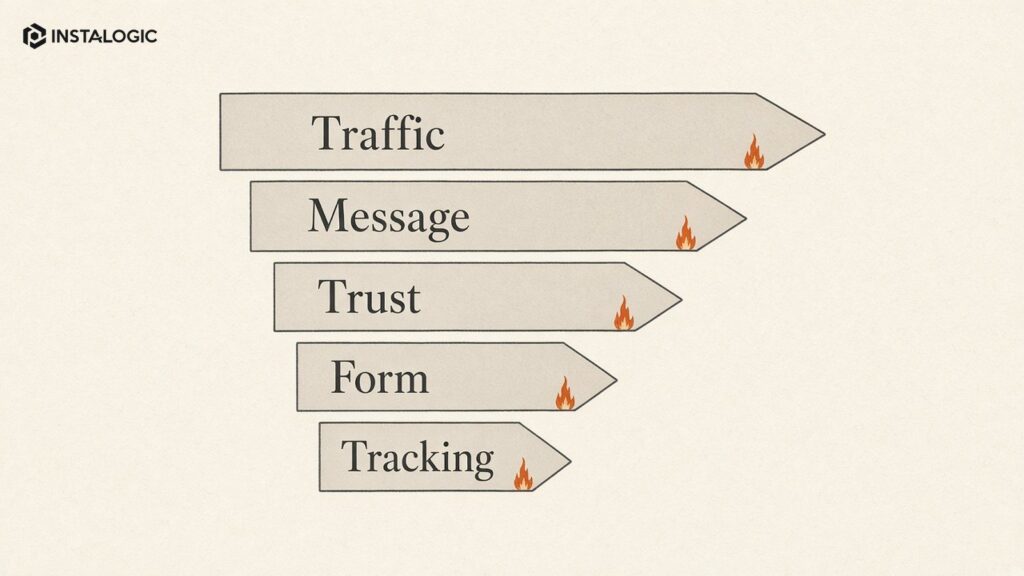
1. You Are Getting the Wrong Traffic
Traffic volume is not the same as buying intent. A blog can attract thousands of visitors who want information but have no reason to contact a sales team.
Review which landing pages bring traffic and what queries or campaigns send visitors there. If a service page is getting almost no qualified visibility, more total traffic elsewhere will not solve the lead problem.
Segment branded and non-branded search, paid and organic, country/location, device and landing page. The goal is to understand whether potential buyers are actually reaching pages designed for them.
2. The Page Does Not Explain the Offer Quickly
Visitors should understand what you do, who it is for and why they should continue within a few seconds.
Generic claims such as “innovative solutions for your success” create work for the visitor. Replace them with concrete language: the service, target user, problem and outcome.
The top of the page does not need to explain everything. It does need to remove ambiguity.
3. Your CTA Is Either Invisible or Everywhere
A weak site hides the next step. Another weak site puts “Book a Call” after every paragraph.
Choose the action that makes sense for the stage of the journey. A high-intent service page can ask for an audit, quote or meeting. An early educational article may use a softer CTA or link to a relevant guide/service.
Repeat the primary CTA at natural decision points, not mechanically after every section.
4. The Visitor Does Not Trust You Yet
Buyers look for proof before they submit a form. Useful trust signals include relevant case studies, specific experience, client logos with permission, team information, clear process, real contact details and transparent explanations of what happens next.
Avoid fake counters, unsupported “#1” badges and vague testimonials.
The strongest proof connects a real problem to real work and a verified result.
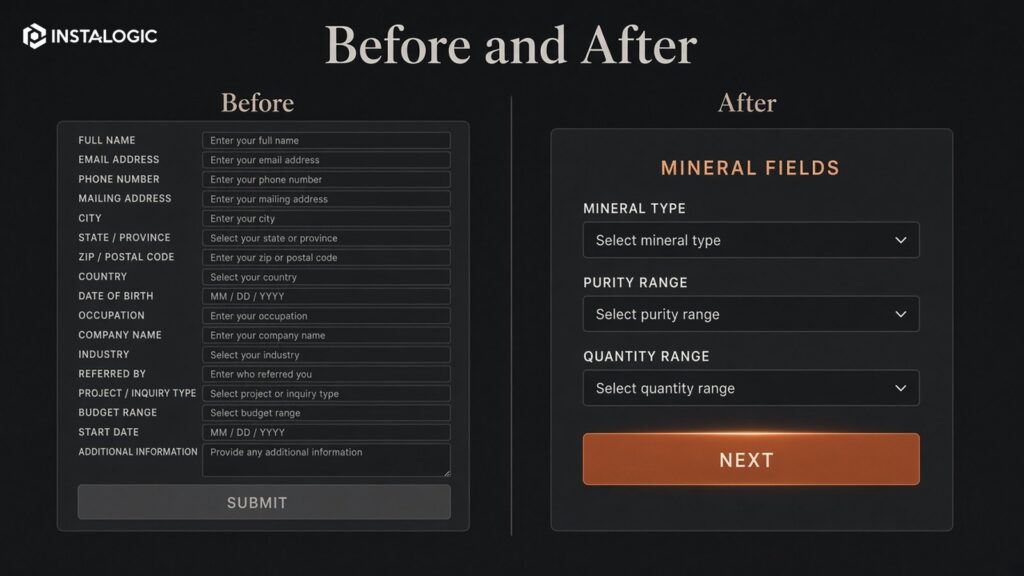
5. The Form Creates Friction
Long forms can reduce completion, especially when every field feels like a sales qualification test.
Ask only what is needed for the next conversation. Name, work email, company, website, goal/problem and perhaps a simple service/budget qualifier are often enough.
Make labels visible, mobile input easy and error messages clear. Confirm what happens after submission so the visitor is not sending information into a black box.
6. The Website Is Slow or Hard to Use on Mobile
A visitor who has to wait, zoom, dismiss popups or fight a menu is less likely to convert.
Review real mobile performance, not only desktop screenshots. Compress images, control third-party scripts, use readable typography and make buttons/forms easy to operate.
Performance matters most when it affects the user's ability to understand and act.
7. The Landing Page Does Not Match the Campaign
If an ad promises one service and sends the visitor to a generic homepage, the user has to reconstruct the connection.
Build or select a page that matches the intent, terminology and promise of the campaign. Keep message continuity from keyword/ad to headline to proof to CTA.
This is one of the most common reasons paid traffic looks expensive when the underlying issue is conversion.
8. Lead Tracking Is Broken
Test the entire conversion path yourself.
Submit every major form, click phone and WhatsApp links, test thank-you pages, check GA4/GTM events and verify the lead arrives in the CRM or inbox.
A surprising number of “marketing problems” are measurement or routing problems: forms fail silently, spam filters catch enquiries, conversion tags fire twice, or the CRM loses campaign-source data.
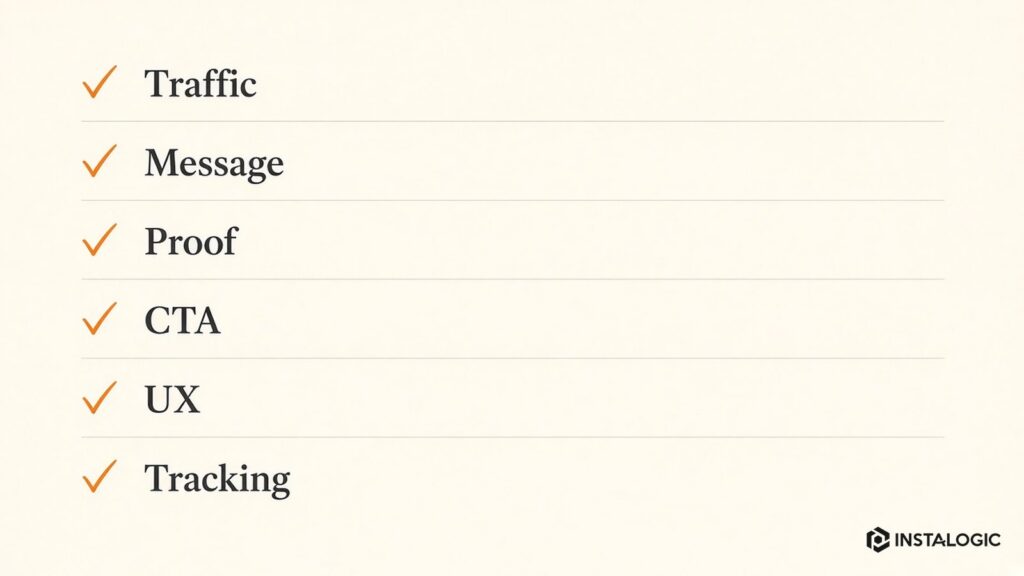
A Practical Diagnostic Order
Check traffic quality first. Then review message/offer, trust, CTA, form/mobile usability and tracking.
Do not redesign everything at once. Make the most likely change, measure it, then move to the next constraint.
A website that generates leads is not necessarily the prettiest site. It is the site that helps the right visitor understand the offer, believe it and take the next sensible action.
The goal is not to force every page to convert directly. An educational article may succeed by moving a relevant visitor to a service page or by earning a return visit. Define the expected next action for each page type.
Group pages by role: commercial service pages, industry/solution pages, educational articles, case studies and campaign landing pages. Then compare conversion and engagement within those groups.
A single site-wide conversion rate can hide the real problem. Blog traffic often converts differently from high-intent service traffic. Brand searches behave differently from cold paid campaigns. Mobile visitors may have different needs than desktop users.
Measure by Page and Intent, Not Only Site-Wide Conversion Rate
Use the map to decide where pages need stronger internal links, proof, contextual CTAs or simpler forms. For B2B sites, include what happens after the form: confirmation, CRM creation, lead routing and sales response. The website conversion path does not end when the browser shows a thank-you page.
This often exposes gaps that a redesign brief misses. A visitor may arrive on an industry page, click to a generic service page and then reach a contact form that asks for information irrelevant to that journey. The visual design can be polished while the path remains incoherent.
A conversion map shows the important visitor journeys from entry page to desired action. Start with the top traffic sources and landing pages, then draw the next pages users are expected to visit, the proof they need and the final conversion event.
Build a Conversion Map Before You Redesign
How to Prioritize Lead-Generation Fixes
Create a simple impact-confidence-effort list. For each suspected problem, estimate how much it could affect qualified leads, how strong the evidence is and how difficult it is to fix. Broken form delivery has high impact, high confidence and usually low effort, so it should be addressed before a full visual redesign.
Use behavior and funnel data to strengthen confidence. If paid visitors leave immediately from one landing page while other pages perform normally, investigate message match and page experience. If mobile form completion is dramatically lower than desktop, test the form and interface. If all channels show weak conversion, the offer or trust problem may be broader.
Fix one layer at a time where possible. Measurement and technical failures first, then traffic quality, message/offer, proof, UX/form friction and follow-up. Large redesign projects can hide which change actually improved performance.
After each meaningful change, define a review window appropriate to traffic volume. Low-traffic B2B websites need more time than high-volume e-commerce sites. Avoid calling a test after ten visitors. The objective is to make increasingly evidence-based decisions, not to run experiments for the sake of experimentation.
Frequently Asked Questions
How do I know whether my website has a traffic problem or conversion problem?
Look at qualified visits to commercial pages. If the right people rarely arrive, acquisition is the main issue. If qualified traffic arrives but few act, investigate offer, page experience and conversion.
What is a good website conversion rate?
There is no universal rate. It varies by industry, traffic source, offer and conversion definition. Compare your own channels and pages over time.
Should I redesign my website to get more leads?
Only if the diagnosis shows design/UX is a major constraint. Messaging, traffic quality, trust, forms or tracking may be the bigger problem.