
Marketing Automation
What Is CRM Automation and How Does It Work?
CRM automation explained with practical workflows for lead capture, routing, follow-up, pipeline updates, tasks and marketing-sales handover.

CRM Automation in One Sentence
CRM automation uses rules, integrations and workflows to keep customer records and sales/marketing processes moving without someone manually updating every field or task.
A useful CRM should become the reliable record of what happened with a lead. Automation helps by moving information into the CRM and triggering the next required action.
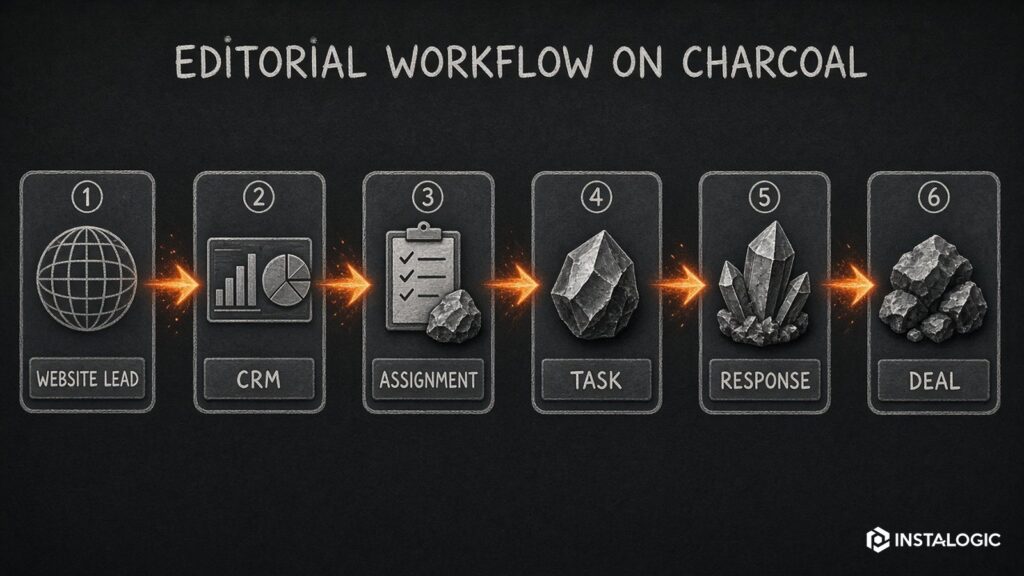
Example: Website Lead to Sales Follow-Up
A person submits a service enquiry on the website.
The workflow creates or updates the contact, records the original source and landing page, creates a deal, assigns an owner based on territory/service, sends a confirmation, and creates a follow-up task.
If no activity is recorded within a defined time, the system reminds the owner or escalates it. If the deal is marked won, prospecting sequences stop and onboarding starts.
Without automation, every one of those steps can depend on someone remembering.
Common CRM Automations
- Contact creation and deduplication: Create/update records from forms, chat, events or imports without producing unnecessary duplicates.
- Lead assignment: Route leads by geography, service, company size, source or team availability.
- Pipeline stages: Move or suggest stage changes when defined events occur.
- Tasks and reminders: Create follow-up tasks when a lead needs human action.
- Email logging and sequences: Keep communication associated with the correct contact and stop sequences on reply/meeting.
- Lead scoring: Use explicit criteria and behavior signals to prioritize, while avoiding opaque scores nobody trusts.
- Data enrichment: Add company or firmographic data from approved sources.
- Reporting: Maintain source, stage and outcome fields so funnel reports reflect the real process.
Marketing Automation vs CRM Automation
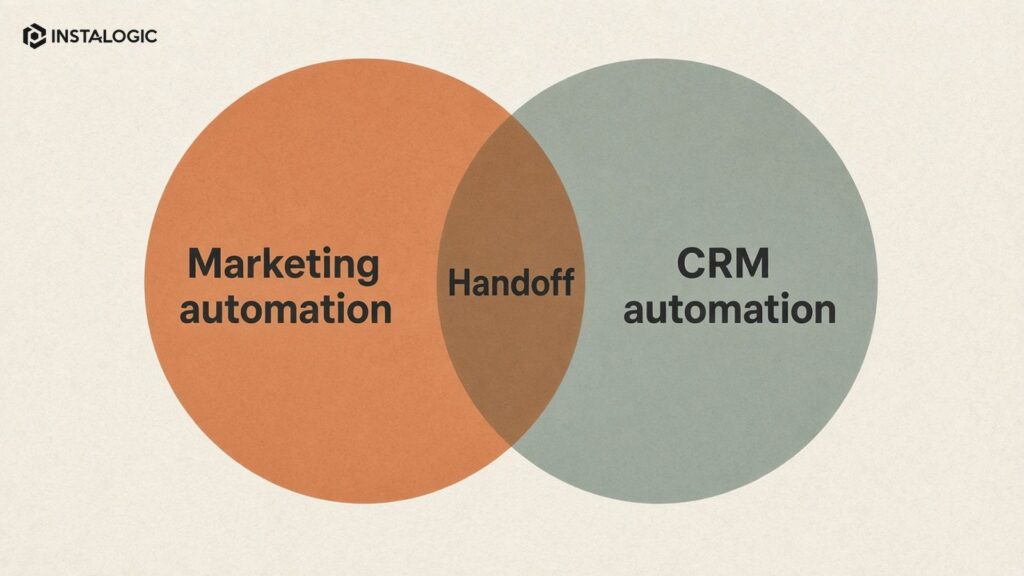
Marketing automation is often focused on communication and audience journeys before and around the sale. CRM automation is focused on records, ownership, pipeline and operational follow-up.
In practice they overlap.
A webinar campaign may start in a marketing platform, but once someone requests a sales conversation the CRM becomes critical. The best setup defines one source of truth and clear rules for synchronization.
Why CRM Automation Fails
The most common reason is poor process design.
If nobody agrees what “qualified” means, automation cannot solve the disagreement. If salespeople use pipeline stages differently, reports remain unreliable. If source fields are overwritten on every visit, attribution becomes meaningless.
Clean the process and data model before building complex flows.
Designing the Data Model
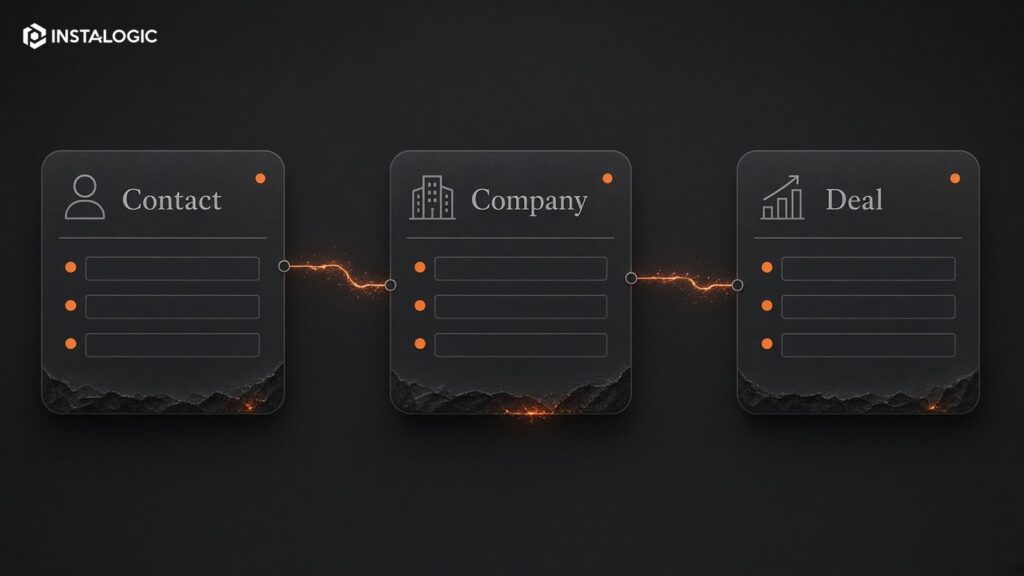
Decide which objects you need: contacts, companies, deals, tickets, subscriptions or custom records.
Define required fields, field owners and allowed values. Avoid creating dozens of near-duplicate properties such as “Lead Source,” “Original Source,” “Source Type,” “Marketing Source” and “Campaign Source” without a clear purpose.
Document which fields can be changed by automation and which require a human decision.
Lead Handover: The High-Value Workflow
Marketing-to-sales handover is a strong automation candidate because delay has a direct business cost.
Define what event creates a sales-ready lead, which information must be present, who owns it and how fast the response should happen.
Automation can create the task and notification. It cannot make the salesperson have a useful conversation, so response quality still matters.
Where AI Can Help
AI can summarize activity, extract information from messages, classify intent and prepare a salesperson before a call.
Use it as assistance, not as an invisible authority. If an AI classification changes pipeline stage, pricing or customer treatment, add review and auditability.
CRM systems contain important customer data, so access permissions and data policies should be part of automation design.
Start Small
Pick one measurable workflow: inbound lead routing, stale-deal reminders or source tracking.
Map it, automate it, test edge cases and measure whether response time or data quality improves.
Then expand. A CRM with ten understandable automations is usually more reliable than a system with one hundred undocumented flows.
This distinction improves reporting. Marketing behavior is useful context; sales stage should represent the commercial state of the opportunity.
Use behavioral signals to alert or prioritize a salesperson, but reserve important stage changes for explicit events: discovery completed, proposal sent, verbal approval, contract signed, and so on according to the real sales process.
Pipeline stages should reflect real business events. Moving a deal to 'Qualified' because someone opened an email or visited the pricing page can make forecasting unreliable.
Do Not Automate Stage Changes Without Clear Evidence
That structure turns CRM automation into a learning system rather than a collection of convenience rules.
If the lead is disqualified, the reason is required: wrong geography, budget, student/job seeker, no need, duplicate or another defined value. Those reasons can later improve advertising and content targeting.
The system creates a deal only when the lead meets agreed criteria, then assigns an owner based on territory or service. A task is due within the response-time target. If the owner logs a call or books a meeting, the escalation branch stops.
A lead from a high-intent service page creates a contact and company record. The workflow stores original source, current source, landing page and requested service separately so later visits do not erase the first-touch data.
CRM Automation Example for a B2B Sales Team
A CRM Automation Documentation Template
Every important workflow should have a short document containing its purpose, trigger, required fields, branches, actions, owner, systems touched and exit conditions. Include a diagram when the flow has more than a few branches. The documentation should be understandable by someone who did not build the automation.
Record field definitions as well. Explain what 'Lead Source', 'Lifecycle Stage', 'Deal Stage' and 'Qualified' actually mean, who is allowed to change them and whether automation can overwrite them. Many CRM reporting problems come from fields that exist but have no shared definition.
List dependencies and failure behavior. If an enrichment API is unavailable, does the lead still get routed? If an email cannot be sent, is a task created? If a required country field is blank, does the workflow pause or choose a default? These decisions should be deliberate.
Keep a change log for production workflows. When sales asks why a lead was routed differently this month, the team should be able to see whether logic changed. Documentation sounds administrative until a critical workflow breaks; then it becomes part of operational resilience.
CRM Automation Should Improve Forecasting
A useful CRM is not only a contact database. It should help management understand how many real opportunities exist, where they came from and what is likely to happen next. Automation supports that goal by reducing missing fields and follow-up gaps, but it must not manufacture false certainty.
Require sales teams to confirm important stage changes and disqualification reasons. The combination of disciplined human updates and automation produces better reporting than either one alone.
Frequently Asked Questions
What CRM tasks should be automated first?
Inbound lead capture/routing, follow-up reminders and source tracking are often good first workflows because they are repetitive and measurable.
Can CRM automation send emails automatically?
Yes, depending on the platform and integrations. Make sure sequences stop when the context changes and that consent/compliance requirements are met.
Do I need HubSpot or Salesforce for CRM automation?
No. The right CRM depends on complexity, team size, reporting and integrations. Lightweight systems can automate many small-business workflows.