
Marketing Automation
Best Marketing Automation Tools for Small Businesses: 2026 Practical Comparison
Compare HubSpot, ActiveCampaign, Brevo, Mailchimp, Zapier and n8n by use case, complexity, CRM needs, email automation and integration flexibility.

There Is No Single Best Automation Tool
The right tool depends on what you are trying to automate.
A small e-commerce store may need email/SMS journeys. A B2B service firm may need CRM, lead scoring and sales handover. A technical SaaS team may need to connect a dozen systems with custom logic.
This comparison focuses on practical fit rather than declaring one platform universally best. Features and pricing change frequently, so confirm current plan limits before buying.
1. HubSpot - Best When CRM and Marketing Need to Live Together
HubSpot combines CRM data with marketing automation, forms, email, lead scoring, workflows and sales/service tools across its broader product suite.
Its strength is the integrated data model: marketing activity can be connected to contacts, companies, deals and lifecycle stages without stitching together as many separate systems.
The trade-off is cost and complexity as needs expand. Some workflow and advanced automation capabilities depend on subscription level.
Best fit: growing B2B/service companies that want marketing, CRM and sales processes in one ecosystem.
2. ActiveCampaign - Best for Sophisticated Customer Journeys
ActiveCampaign focuses strongly on marketing and sales automation. Its current small-business positioning includes cross-channel campaigns, email/SMS/web experiences, personalization and workflow automation.
It is a good fit when lifecycle journeys are more important than building a large all-in-one CRM ecosystem.
The learning curve can be higher than simple email tools because the power comes from branching automations and segmentation.
Best fit: small and mid-sized businesses with meaningful email/lifecycle automation needs.
3. Brevo - Best for Accessible Multi-Channel Messaging
Brevo combines email, SMS, WhatsApp and other communication channels with marketing automation. Its workflow model uses triggers, rules and actions, and its current platform includes pre-built and custom automations.
Brevo can be attractive for smaller businesses that want practical email/messaging automation without immediately moving into a heavier enterprise stack.
Confirm contact, send-volume, channel and automation limits against the current plan.
Best fit: SMBs that prioritize email and messaging automation with a relatively accessible starting point.
4. Mailchimp - Best for Email-First Small Businesses
Mailchimp remains familiar to many small businesses and now provides automation flows / customer journey tools with triggers, branches, rules and actions.
It works well when email remains the center of the marketing program and the team wants campaign creation, segmentation and customer journeys in a single familiar environment.
For complex CRM logic or cross-system operations, you may still need a separate CRM or integration platform.
Best fit: email-led businesses and e-commerce teams that want straightforward campaign and journey automation.
5. Zapier - Best for Connecting Many SaaS Tools
Zapier is not primarily an email marketing platform. It is an integration and workflow layer.
Its major advantage is breadth: Zapier currently says it connects thousands of apps and supports trigger/action workflows plus AI-assisted steps. That makes it useful when the business already has a CRM, forms, spreadsheets, ad tools and communication apps that need to exchange data.
The trade-off is that many small automations can become difficult to govern if naming, ownership and error handling are weak.
Best fit: non-technical or moderately technical teams that need broad SaaS connectivity.
6. n8n - Best for Technical Teams Needing Flexible Workflows
n8n is a workflow automation platform with a node-based model, API connectivity and strong appeal to technical teams. Its public use cases include lead management, CRM integration, data enrichment and AI workflows.
It can be more flexible than simple no-code automation because teams can work directly with APIs, databases and custom logic.
That flexibility also means someone needs to own the technical design, credentials, hosting/security choices and failure monitoring.
Best fit: technical SMBs, agencies and SaaS teams with complex integrations or custom automation needs.
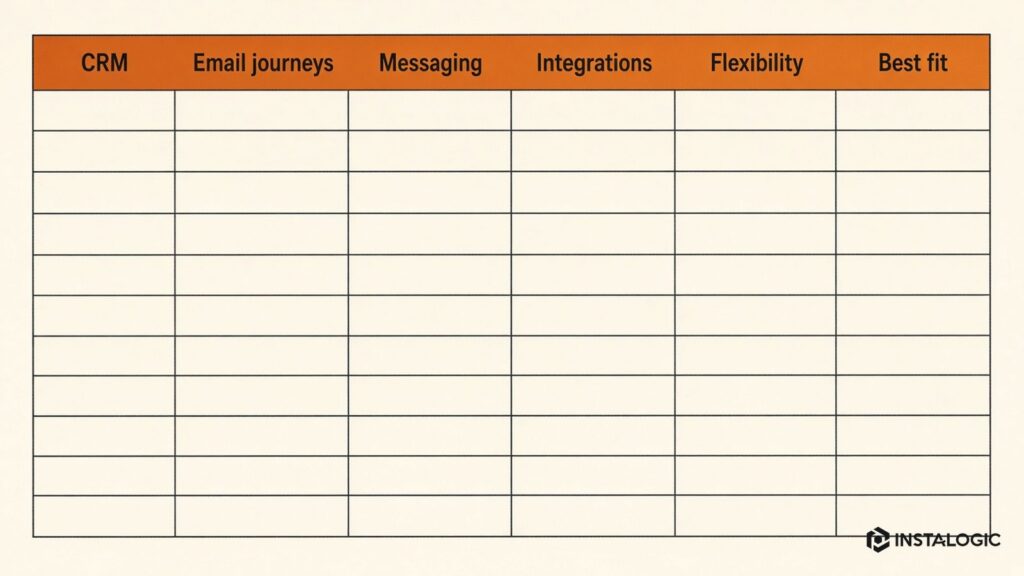
Quick Comparison
- HubSpot: Choose when CRM + marketing + sales visibility in one platform is the priority.
- ActiveCampaign: Choose when deep lifecycle automation and personalization are the priority.
- Brevo: Choose when affordable multi-channel messaging and automation are central.
- Mailchimp: Choose when email-first campaigns and customer journeys are the main requirement.
- Zapier: Choose when you need easy connectivity across a large SaaS stack.
- n8n: Choose when custom logic, APIs and technical workflow control matter.
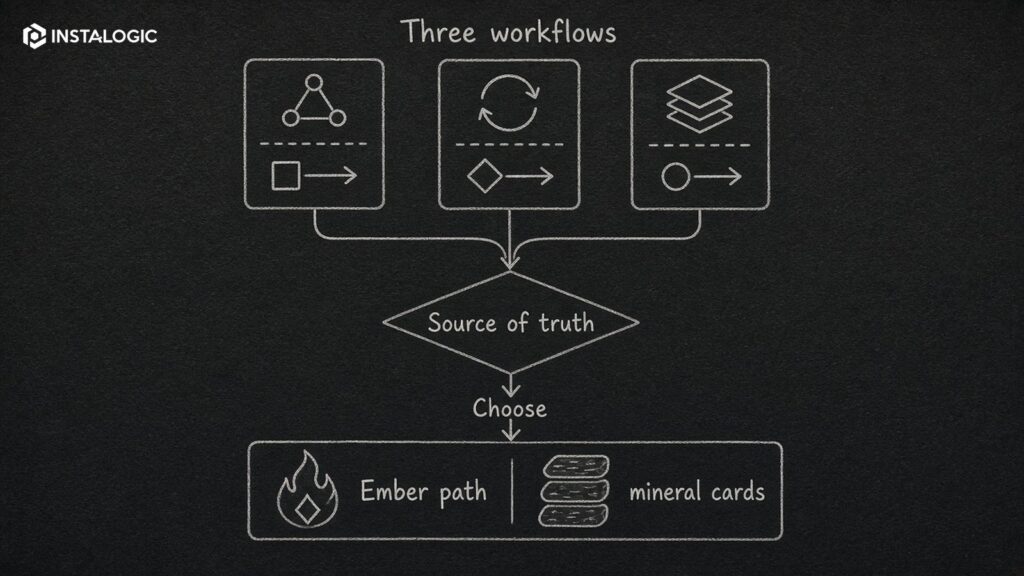
How to Choose Without Overbuying
List your first three workflows before comparing tools.
For example: website leads must enter the CRM with source data; high-intent leads must alert sales; new customers need onboarding; abandoned carts need follow-up; campaign data must feed a dashboard.
Then evaluate which platform handles those workflows cleanly. Do not buy an enterprise platform because you might need a feature in three years.
Also calculate migration and governance cost. A cheap tool becomes expensive when the workflow breaks every week or nobody understands it.
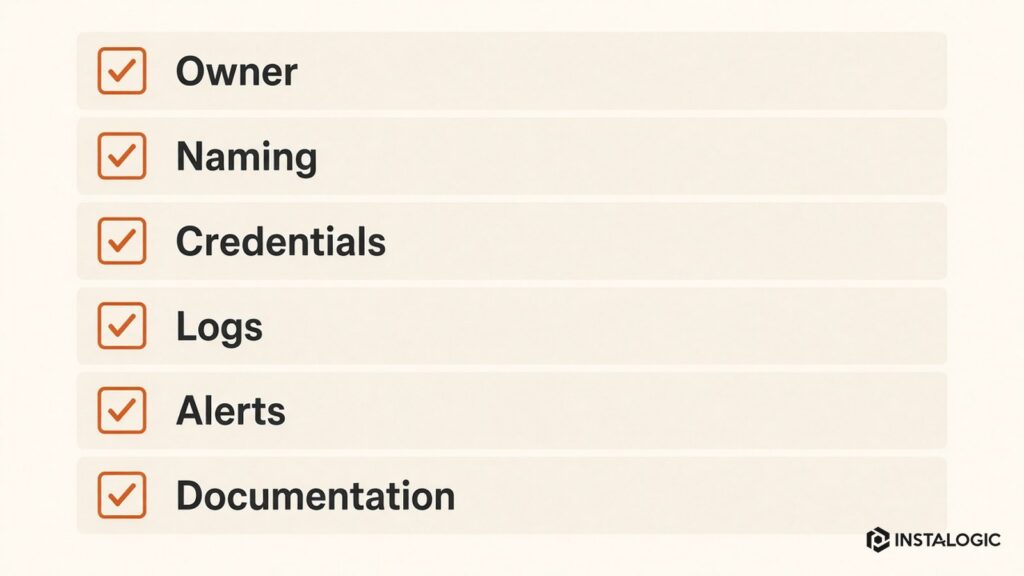
Our Recommended Selection Process
Start with process, data and ownership.
Choose the CRM/source of truth first if you need one. Decide which system owns consent, contact status, sales stage and campaign membership. Then choose the automation layer.
Run one production workflow for several weeks before automating everything. Build naming conventions, documentation and error alerts from the beginning.
The best automation stack is the one your team can understand and maintain.
Also consider exit cost. Exportability of contacts, fields, templates and workflow logic matters if the company later changes platforms.
A tool that costs more per month can be cheaper overall if it replaces several disconnected products and reduces maintenance. A low-cost platform can be better if the business only needs two workflows and email campaigns.
Include contact-based pricing, email/SMS usage, premium automation features, CRM seats, integration tasks, implementation services and the staff time needed to maintain the system.
Calculate Total Cost, Not Only Subscription Price
These are architecture examples, not fixed recommendations. The existing stack, team skills, data volume, compliance needs and total cost determine the better choice.
A software company with engineers and several internal APIs may choose n8n because it can express more custom logic and connect directly to technical systems. The same company might still use HubSpot or another CRM as the source of truth.
A five-person consulting firm using Google Workspace and a simple CRM may benefit from Brevo or Mailchimp for email plus Zapier for lead routing. A 40-person B2B company that wants lifecycle stages, sales visibility and marketing automation in one system may prefer HubSpot. An e-commerce brand with sophisticated lifecycle messaging may prefer ActiveCampaign or another commerce-focused platform depending on its stack.
Tool Selection Examples
Implementation Questions to Ask Before Choosing a Tool
Ask who will own setup and ongoing administration. A platform that is easy for the marketing team to maintain may be preferable to a more flexible tool that requires an engineer for every change. Conversely, a technical team may prefer explicit workflows and API control over a simplified no-code interface.
Review data residency, permissions, audit logs, SSO and security requirements if the system will contain customer or sales data. Small businesses sometimes choose solely on feature lists and discover later that governance or compliance needs force a migration.
Test your hardest workflow during the trial. Do not spend the entire evaluation sending a welcome email. If lead routing requires company matching, enrichment, branching and CRM updates, build a small proof of concept. If e-commerce lifecycle automation is the priority, test the actual store events and segmentation.
Finally, ask how the platform handles errors and portability. Can you see failed runs? Can you retry them? Can data and contacts be exported cleanly? What happens when a connected app changes its API? Reliable operations matter more than a long integrations page.
A Small-Business Migration Plan
If you already use one platform and want to change, export contacts, consent status, custom fields, templates and workflow logic before cancelling anything. Map old fields to the new system and decide which historical activity is genuinely worth migrating.
Run the critical workflows in parallel for a short period where practical. Test forms, unsubscribe behavior, sales notifications, CRM updates and reporting. A marketing-automation migration is a data and process project, not only a software subscription change.
After cutover, monitor bounces, duplicate records, missing source data and automation failures. Keep the old system read-only until the team is confident the new environment contains the information needed for operations and compliance.
Pilot Before a Full Rollout
Use a real pilot with a small group before migrating every workflow. Connect one form, one CRM path and one nurture sequence, then observe how the system behaves with real data. A pilot exposes permission, field-mapping and reporting problems early, when they are still inexpensive to fix.
For regulated or privacy-sensitive businesses, involve security or legal stakeholders before procurement rather than after workflows are built. Consent handling, data retention, user permissions and vendor terms can materially change which platform is suitable. The technically easiest automation tool is not the right choice if it cannot meet the organization’s data-governance requirements.
Frequently Asked Questions
What is the easiest marketing automation tool for a small business?
For email-first needs, Mailchimp or Brevo can be approachable. The easiest choice still depends on the workflow and tools you already use.
Is HubSpot worth it for a small business?
It can be when CRM, marketing and sales alignment matter enough to justify the platform and plan cost. Smaller businesses with simple email needs may not need the full ecosystem.
Zapier or n8n - which is better?
Zapier is generally easier for broad SaaS connectivity. n8n gives technical teams more control and custom workflow flexibility. Choose based on governance and engineering capacity.
Should I choose the tool before designing automation?
No. Define the workflow, data and owner first. Then choose the tool that fits the process.