
Marketing Automation
What Is Marketing Automation? Examples, Benefits and Use Cases
Marketing automation explained: what to automate, practical workflows, benefits, common mistakes, tools and how to design automation around real customer journeys.

Marketing Automation in One Sentence
Marketing automation is the use of software and workflows to perform repeatable marketing actions based on data, timing or customer behavior.
The important word is repeatable. Automation should remove predictable manual work: routing a lead, sending a sequence, updating a lifecycle stage, notifying sales or synchronizing data.
It should not automate every interaction simply because a tool can.
A Simple Example
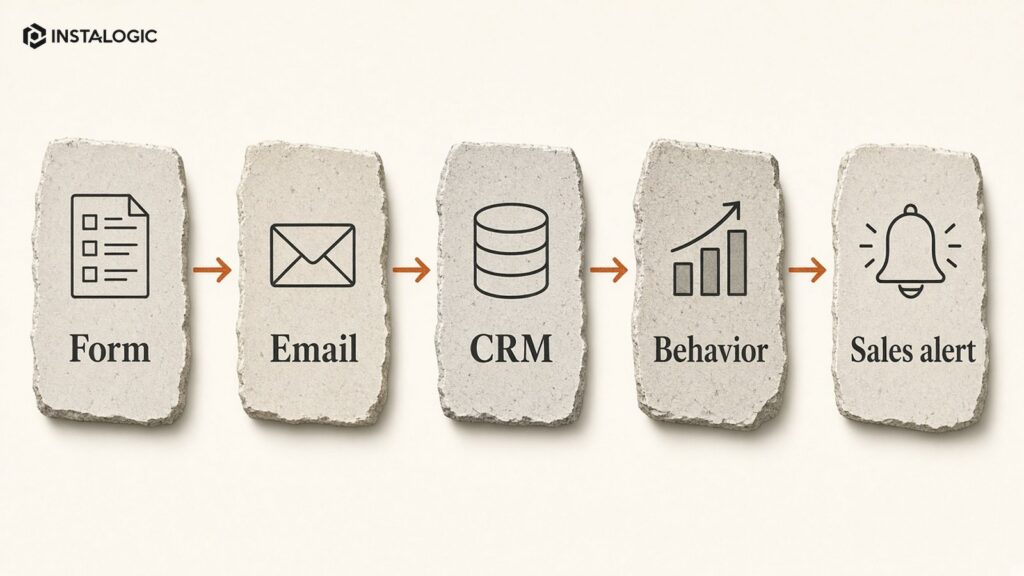
A prospect downloads a guide and submits a work email. The system records the source, sends the requested resource, creates or updates the CRM record and waits.
If the person later visits a pricing page or requests a demo, the system changes the lead status and alerts the correct salesperson. If nothing happens, a short educational sequence can continue without a staff member sending each email manually.
That is more useful than blasting the same newsletter to every contact.
What Can Be Automated
- Lead capture and routing: Send leads to the right owner based on service, geography, company size or another real rule.
- Email nurturing: Trigger useful sequences based on lifecycle stage or explicit actions.
- CRM updates: Create records, update fields, add tags and move stages when verified events occur.
- Lead follow-up: Remind sales when a lead has not been contacted or when an opportunity becomes inactive.
- Campaign operations: Sync audiences, update lists and trigger tasks around campaigns.
- Reporting: Move data between systems and build recurring dashboards or alerts.
- Customer lifecycle: Onboarding, renewal reminders, education and re-engagement can be automated when the logic is clear.
The Main Benefits
Speed is the first benefit. A high-intent lead can be routed in seconds rather than waiting for someone to check a spreadsheet.
Consistency is the second. The same required steps happen every time.
Data quality is the third, when automation keeps systems synchronized rather than creating more duplicate records.
Scale is a consequence of those improvements. The team can handle more interactions without increasing repetitive administrative work at the same rate.
What Should Not Be Automated?
Sensitive conversations, complex sales discovery, complaint resolution and situations requiring judgement should not be forced into rigid sequences.
Even automated emails should sound like useful communication, not a robot pretending to be a person.
Build clear escape paths. If a lead replies, books a meeting or becomes a customer, stop irrelevant nurture messages.
Common Automation Mistakes
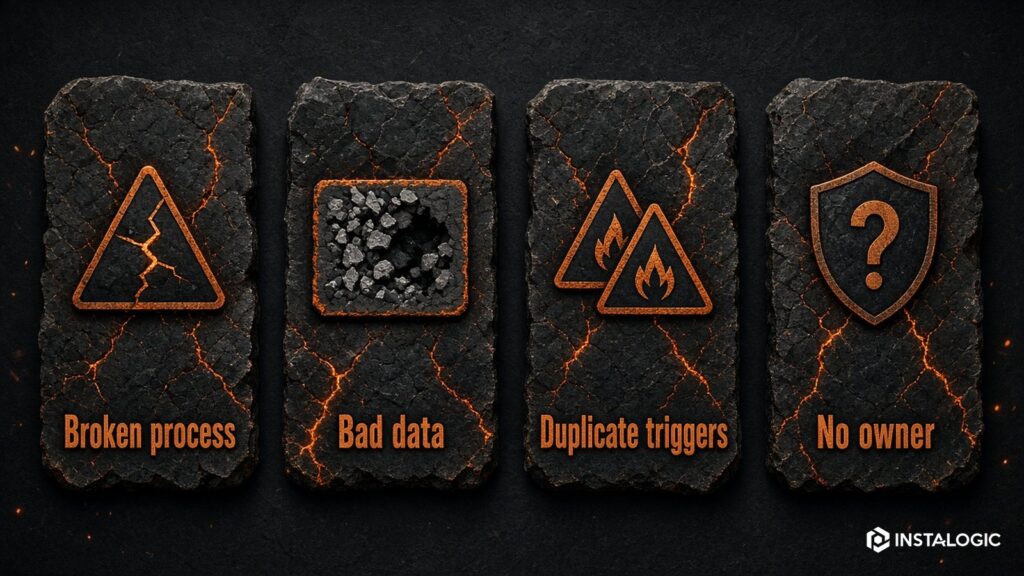
- Automating a broken process: If the manual workflow is unclear, automation makes the confusion faster.
- Too many triggers: Overlapping automations can send duplicate messages or overwrite CRM data.
- Poor data hygiene: Wrong fields and duplicate contacts produce wrong decisions.
- No owner: Someone must monitor failures, API changes, bounced emails and unexpected logic.
- Measuring sends instead of outcomes: The workflow should improve response time, qualified leads, conversion or efficiency - not just send more messages.
How to Design a Workflow
Draw the manual process first.
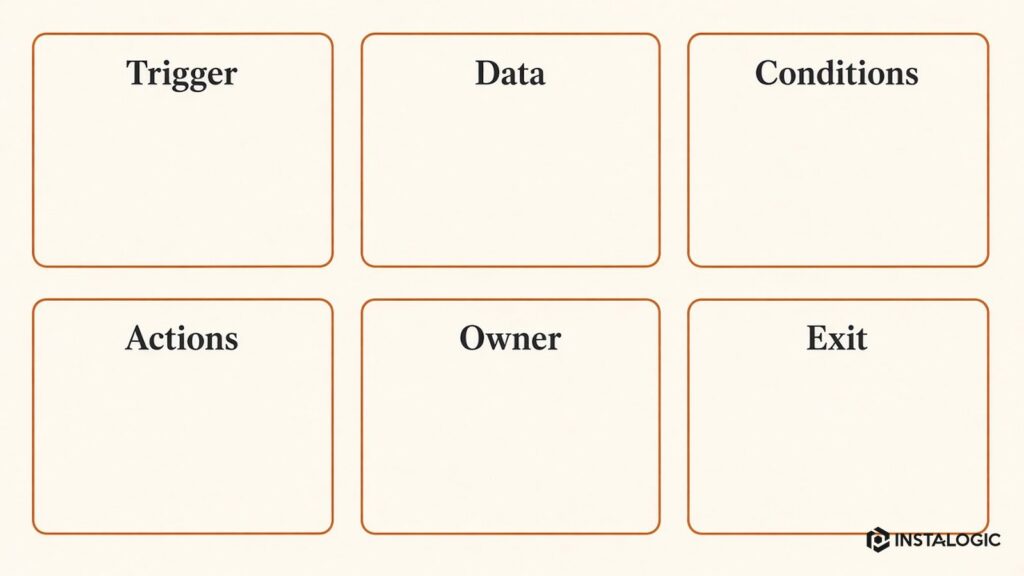
Define the trigger, required data, decision branches, actions, delays, owner and exit conditions. Decide what should happen when data is missing.
Then build the smallest version, test with internal records and monitor before expanding.
Good automation is boring in the best way: predictable, observable and easy to explain.
Where AI Fits
AI can classify text, summarize conversations, draft messages, extract information and assist with lead qualification. That can make automation more flexible.
But AI outputs are probabilistic. High-impact actions should include guardrails, confidence thresholds and human review where appropriate.
Do not give an AI workflow unrestricted ability to send, delete or change critical records without controls.
Do You Need a Big Platform?
Not always.
A small business can connect forms, email and CRM with a lightweight automation platform. A larger organization may need HubSpot, Salesforce or another integrated marketing/CRM suite.
Tools such as n8n or Zapier can connect systems when the workflow spans multiple applications. Choose based on process, governance and scale rather than tool popularity.
Review automations quarterly. Retire obsolete branches and consolidate duplicates. Automation debt is real: a system with dozens of undocumented workflows becomes harder to change than the manual process it replaced.
Add failure alerts. APIs expire, forms change, fields are renamed and permissions are revoked. A workflow that silently stops can lose real leads.
Create naming conventions for workflows, triggers, fields and credentials. Document the purpose, owner and dependencies of each important automation. Use test records before enabling production changes.
Governance Matters as Automation Grows
Measurement: track time-to-first-response, percentage of leads correctly routed, qualified-lead rate and workflow failures. Those metrics show whether the automation improves operations rather than merely sending emails.
Action: send the prospect a confirmation that explains what happens next, notify the owner and create a follow-up deadline. If no activity is logged within the SLA, remind or escalate. When a meeting is booked, stop the reminder branch.
Decision: if the request is from a target market and includes a valid business website, assign it to the correct owner. If information is incomplete, send a simple request for missing details rather than creating several internal tasks.
Trigger: a prospect submits the Free Marketing Audit form. The workflow validates required fields, records UTM/source data, creates or updates the CRM contact and company, and checks whether the domain already exists.
Example Automation Blueprint for a Service Business
What to Measure After You Automate a Workflow
Do not measure automation success by the number of workflows created. Measure the operational problem the workflow was supposed to improve. For inbound lead routing, track time to assignment, time to first response, percentage of leads with complete source data and routing errors. For nurture, track progression to meaningful next steps rather than email opens alone.
Also measure failure. Count workflow errors, records skipped because required data was missing, duplicate contacts created, messages sent after a lead had already converted and manual corrections required. A workflow that saves ten hours but creates twenty data problems has not improved the system.
Add a business review after the first month and again after a quarter. Ask the people using the process whether it is easier to understand and whether edge cases are handled sensibly. Frontline feedback often reveals problems that a dashboard does not.
Finally, estimate the maintenance burden. Every automation has credentials, dependencies and assumptions that can change. A good system creates more reliable operations with an acceptable maintenance cost; it does not simply move work from marketers to technical troubleshooting.
Start With One Workflow That Has a Clear Owner
The best first automation is usually not the most impressive one. Choose a repetitive process that already has a clear manual owner and an obvious success metric. Inbound lead routing, appointment reminders or a post-demo follow-up sequence are easier to validate than a fully autonomous multi-channel agent.
Once the workflow is stable, document it and move to the next bottleneck. This creates an automation program the business understands instead of a collection of clever demos nobody wants to maintain.
Automation Should Make Exceptions Visible
A reliable workflow needs an exception path. If a lead cannot be matched, an API fails or required data is missing, the system should create a visible task or alert instead of silently guessing. Designing the exception path is one of the clearest differences between a demo automation and a production process.
Frequently Asked Questions
What is the difference between email automation and marketing automation?
Email automation is one part of marketing automation. Broader workflows can also update CRM data, route leads, sync audiences, create tasks and connect systems.
Can small businesses use marketing automation?
Yes. Start with one high-friction repetitive process such as lead routing or follow-up instead of buying a complex platform first.
Does marketing automation replace marketers?
No. It reduces repetitive execution. Strategy, creative judgement, customer understanding and exception handling still require people.